Learning Center
Learn about crypto with VIVA


+0
users are part of it and already have their wallet with $VIVA
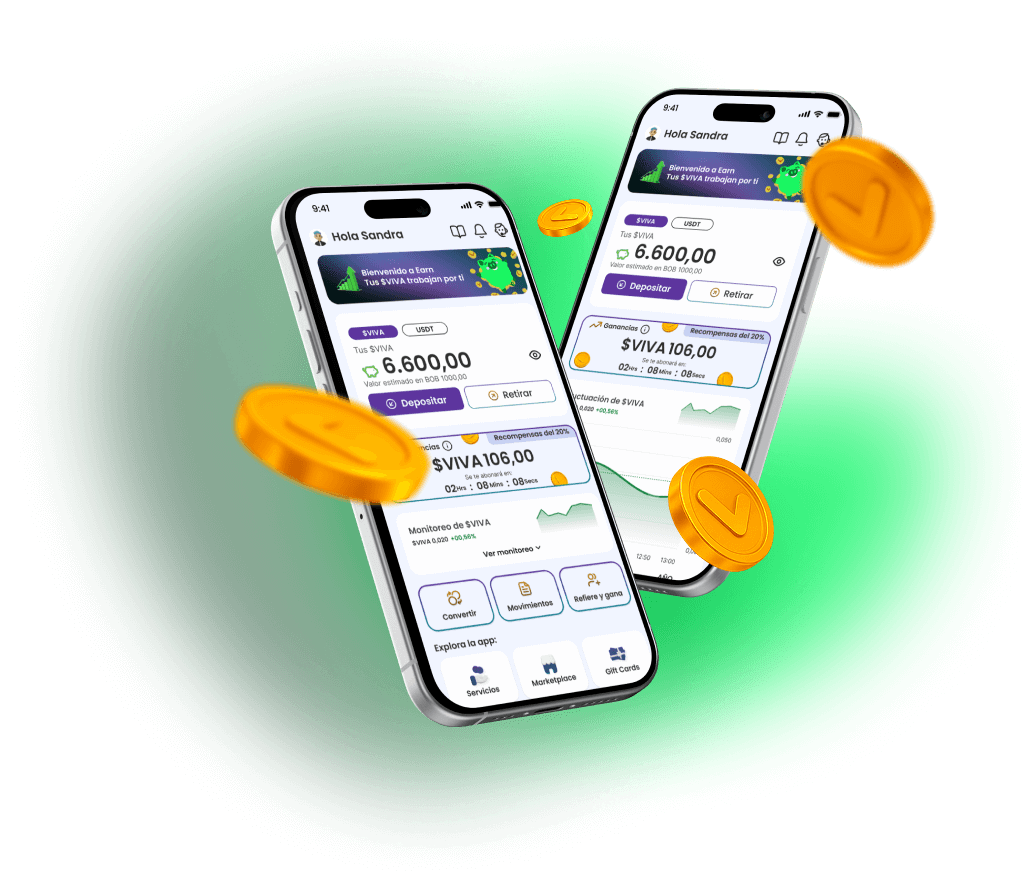
Fluctuation of $VIVA
See its price updated in real time
VIVA
--
--
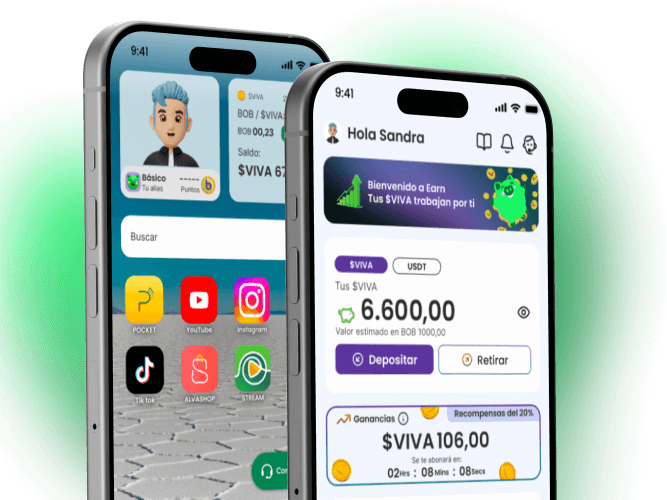
Buy VIVA Coins
- Easy purchase of $VIVA
- Secure transactions




Need help?
Resolve your questions with our FAQs
How do I create my account on Pocket?
When you download the app for the first time, you will be guided to create a security PIN. This PIN will be your primary method of access, and you will need to complete the KYC verification process.
What is KYC and why do I need to do it?
KYC (“Know Your Customer”) is a mandatory identity verification process to ensure the security of all transactions. It is necessary to enable buying, withdrawing, and converting functions, complying with regulations against fraud and money laundering.
What should I do if I forgot my PIN?
On the login screen, select the option “Forgot your PIN?”. You will need to follow a recovery process that includes verifying your identity through the associated email and possibly answering security questions.
Are my crypto assets insured?
Pocket VIVA implements high standards of cryptographic security. However, it is essential that you never share your PIN.
What document do I need to register and verify my account?
It is essential that you have your Bolivian identity card. The verification process (KYC) involves validating your document, a photograph, and facial recognition.
I am not registered / I am a foreigner / I just turned 18. Can I register?
Yes, you can register as long as you are of legal age and have a Bolivian identity card. We do not verify against the electoral roll (OEP).
How do I know if my KYC verification was approved?
You can confirm that your KYC is approved when you complete the registration in the app and can operate with $VIVA. If your KYC is not complete, the app will continue to prompt you to do so.
What do I need to participate in the EARN program?
To activate the EARN program, you need to have a minimum balance of 200 $VIVA and have successfully completed the KYC verification of your account.
How do I buy VIVA Coins ($VIVA) for the first time?
Go to the “Buy” section, select the amount in Bolivianos (Bs) that you wish to invest. The system will automatically calculate the amount of $VIVA you will receive. Choose your payment method (QR), confirm the transaction, and you’re done.
What are the minimum and maximum amounts for buying?
The amounts may vary. The app will always show you the current limits before you confirm any transaction.
Does the VIVA App charge transaction fees?
Yes, some operations may have an associated fee (for example, withdrawals). You will always see the fee details before confirming your transaction, so you know exactly how much you will pay.
How long does it take for a deposit to be credited?
The process has two stages:
Payment confirmation: 1 to 120 seconds.
Credit of $VIVA to your wallet: 1 to 15 minutes.
What fees apply to withdrawals?
We apply a fee of 1% of the amount you withdraw, both for $VIVA and USDT.
Can I send my $VIVA to another wallet?
Yes, you can transfer your $VIVA to any external wallet that supports the Solana network and accepts the $VIVA token.
What happens if I send funds to the wrong address?
Transactions on the blockchain are irreversible. If you send funds to an incorrect address or from an incompatible network, you will not be able to recover them. For your safety, always verify the address and destination network, and first make a test transfer with a small amount.
How do I exchange my $VIVA for USDT or vice versa?
Use the “Convert” (Swap) function. Select the currency you have and the one you want to obtain. The app will show you the exchange rate and the fee in real-time before you confirm the exchange.
How do I view the history of all my transactions?
Select the “History” option on the Home screen to see your last 5 transactions. Then, you can press “View all” to access a complete list filterable by type of operation (purchase, withdrawal, conversion, time, etc.).
Does the $VIVA monitoring chart show the real price?
Yes, the chart in the “Monitoring” section shows the price fluctuations of VIVA Coin ($VIVA) in real-time against USDT, using market data.
How often are the earnings from the EARN program paid?
As long as you maintain the minimum balance, earnings are calculated and distributed every 48 hours.
My transaction failed, but the money was debited from my account. What should I do?
In most cases, the funds are automatically reversed by the bank or payment provider within 24 to 72 business hours. If the problem persists, contact us from the Help section of the app and send us your transaction details. Our support team will assist you until the issue is resolved.
How do I contact support?
Contact us from the Help section of the app and send us your transaction details. Our support team will assist you until the issue is resolved.
How do I get my referral code?
Open your Pocket, look for the section “Invite and earn $VIVA” and there you will find your unique code ready to copy and share.
What do I earn for referring someone?
You earn between 5 Bs and 100 Bs in $VIVA, depending on your referral’s first deposit:
50 to 99 Bs = 5 Bs in $VIVA
100 to 499 Bs = 10 Bs in $VIVA
500 Bs to 999 Bs = 50 Bs in $VIVA
1000 Bs or more = 100 Bs in $VIVA
What does my referral need to do for me to earn?
Download the VIVA APP or ALVA and create their account. Enter your code during registration or on the main screen. Make their first deposit of 100 BOB or more.
How many people can I refer?
You can receive rewards for up to 20 successful referrals for as long as you use the application.
Does my referral also earn something?
Yes! Your referral receives a welcome bonus in $VIVA based on their first deposit:
50 to 99 Bs = 5 Bs in $VIVA
100 to 499 Bs = 10 Bs in $VIVA
500 Bs to 999 Bs = 50 Bs in $VIVA
1000 Bs or more = 100 Bs in $VIVA
How long does my referral have to activate the benefit?
Your referral has 30 days from the time they enter your code to make their first deposit and activate the benefits for both.
What if the code doesn’t work?
If it says “The code was not found”, check that it is correctly written or ask your referrer to send you the code again.
Can I use the referral code if I already have an account?
No, codes only work for new users during their registration or from the main screen if they are new users.
When will I receive my reward?
You will receive your reward in $VIVA immediately after your referral completes their first valid deposit.
How can I redeem my points for a Gift Card?
From the main screen of your Pocket, select the “Gift Cards” banner, choose one of the available options (from 50 Bs to 500 Bs) that fits your points, and select “Buy”. Confirm the transaction and you’re done.
Can I gift a Gift Card to someone else?
Yes. When purchasing a Gift Card, activate the option “Is it a gift?”, enter the recipient’s email address, and confirm the purchase. The Gift Card will automatically arrive in their email.
What should I do if I received a Gift Card by email?
Go to the “Gift Cards” section, click on “Do you have a Gift Card?” and enter the code you received. When you redeem it, it will be added to the “Your Gift Cards” section.
Can I convert a Gift Card to $VIVA?
Yes. In the “My Gift Cards” section, select the three dots (⋮) on the Gift Card you want to convert and choose “Convert to $VIVA”. The amount will be credited immediately to your balance.
What happens if I try to redeem a Gift Card that requires more points than I have?
You can only redeem Gift Cards with a cost equal to or less than your available points.
Can I gift a Gift Card that I bought for myself?
Yes. From “My Gift Cards”, select the three dots (⋮) on the Gift Card you want to gift and press “Gift”. Then, enter the email, message, and name of the recipient.
Is the conversion of a Gift Card to $VIVA reversible?
No. Once you confirm the conversion of a Gift Card to $VIVA, the action is irreversible. The corresponding amount is credited immediately to your main balance.
Is there a minimum or maximum amount for Gift Cards?
Yes, the available Gift Cards have amounts ranging from 50 Bs to 500 Bs, or the amounts that are active at the time of purchase.
What should I verify before confirming the purchase of a Gift Card?
Check the summary: order number, description and amount of the Gift Card, and the number of points that will be deducted.
What is the validity of Gift Cards?
It is 12 months.
Do Gift Cards have an expiration date?
No, Gift Cards do not have an expiration date and remain active until you redeem them.
If I made a mistake with the email when buying a Gift Card, what should I do?
If the Gift Card has not been redeemed, you can contact our support team through the chat in the app to correct the email address and resend the code.
Blogs and news
Stay updated with the latest news

Ripple targets April for Australian financial license via...
Fuente RSS B